
MoneyLane
An offline expense tracker for Android. No account, no server and no internet permission, so everything you enter stays on the phone you entered it on.
Android 7.0 and upFree, no ads, no subscriptionClosed testing, v1.1.1
Get it on your phone
MoneyLane is in closed testing, which Google Play runs as an invite list. Two steps, in this order, and the second one does not work before the first.

MoneyLane
Track money offline. Nothing leaves your phone
Join the tester group
MoneyLane is in closed testing, so Google Play only opens the listing to accounts on the tester list. Joining the group adds yours.
Open the listing and install
Use the same Google account you joined the group with. Until the group accepts you, Play reports the app as not found rather than saying why.
What it looks like
Five screens from a phone running the app, on seeded data so every chart has something to draw.
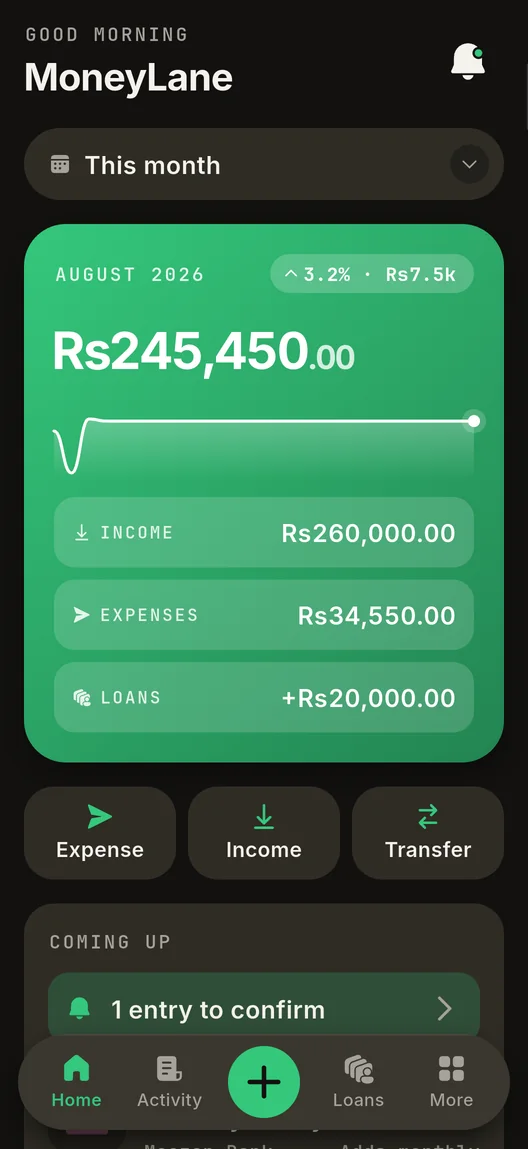
Home. One figure for the period, and the three lines it came from.
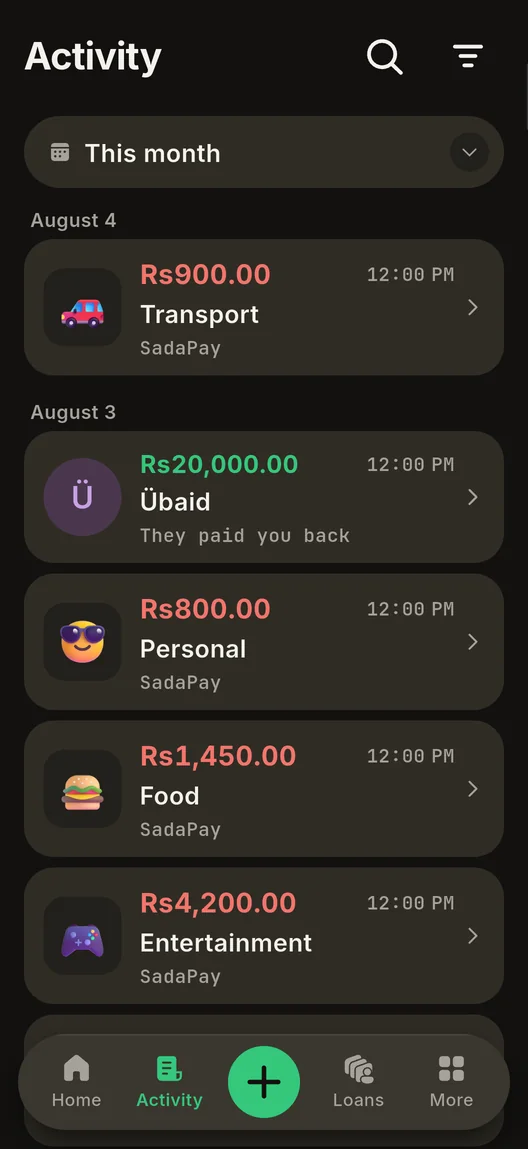
Activity. Every entry, grouped by day, filterable and searchable.
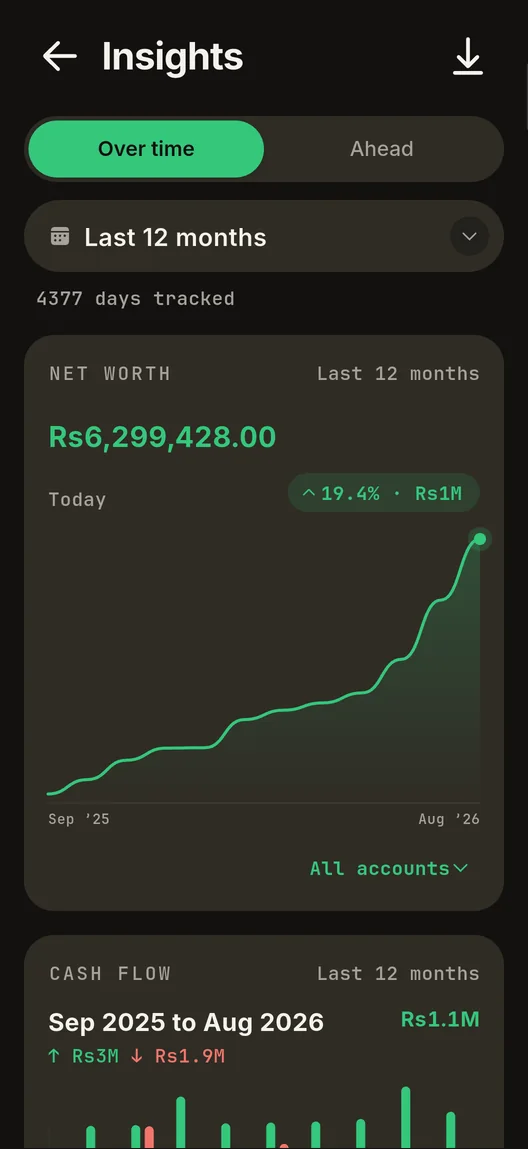
Insights. Net worth over time, and cash flow month by month.
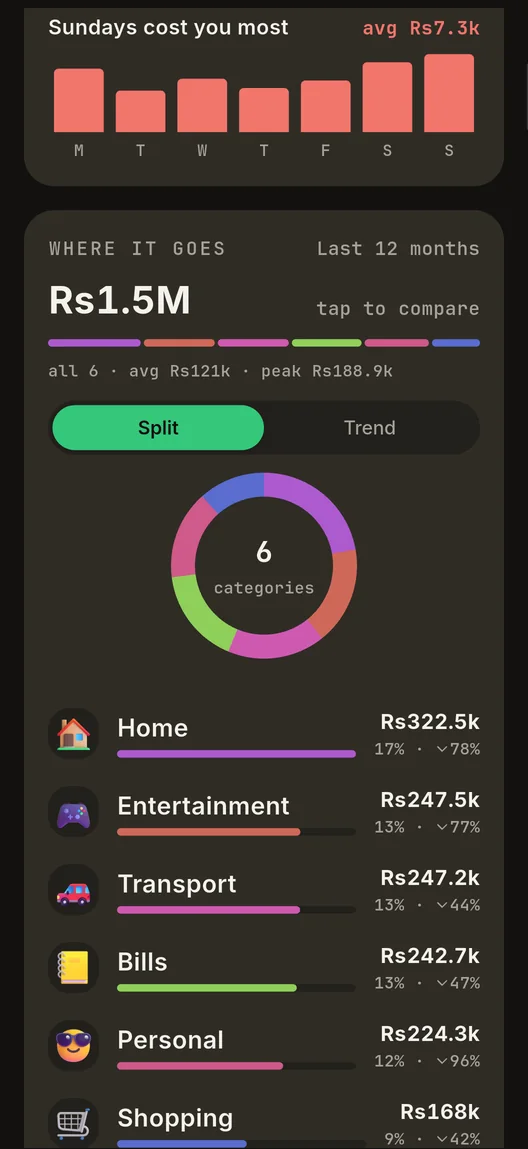
Where it goes. Spending by category, as a split or as a trend.
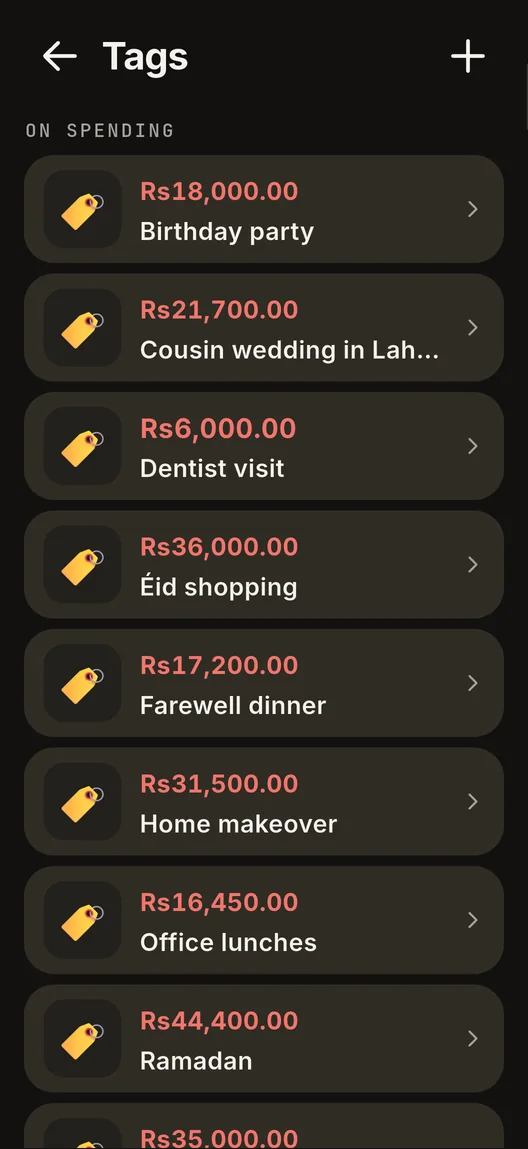
Tags. A wedding, a house move, a trip: the total for the occasion.
What it does
A ledger you type into, and the arithmetic you would otherwise keep in your head.
Four kinds of money, and no fifth
An expense, an income, a loan to or from a person, and a transfer between your own accounts. There is no refund type and no repayment type, because money coming back on an expense is an edit to that expense, not a second record to reconcile later.
Lending you can actually follow
Lend to a person and their balance says To collect, To pay or All settled. Never a signed number you have to decode, and never the word owe.
You decide whether lending counts
One control, With lending or Without, changes every net on the app at once and stays visible on each card it moves. A repayment landing should not quietly win a superlative about earning and spending.
Balances that refuse to go wrong
An entry that would take an account below zero is blocked, on a new entry and on an edit, and the message names the account. An account with money still in it cannot be closed.
Scheduled and recurring entries
Date something ahead and it waits, counting nowhere until its day. A recurring rule can post itself or ask first, and a due payment that would overdraw stays pending rather than being silently skipped.
Budgets, tags and occasions
A cap on your overall spending or on a single category. Tags for the things that cut across categories: a wedding, a house move, a month abroad.
A PIN, a fingerprint, and a way back in
App lock takes a 4 to 8 digit PIN and your fingerprint. Forget the PIN and a wait you chose in advance, 6 to 72 hours, unlocks removal. It clears the lock and never a single record.
Readable at any text size
Light and dark, and the layout holds its shape up to the largest text scale the app supports. Nothing shrinks a figure to make it fit.
Your data, in a file you hold
An encrypted backup you export and import yourself, and a CSV for the spreadsheet. Nothing is uploaded, because there is nowhere to upload it to.
Rules the app holds itself to
A finance app is easy to make look confident and hard to keep honest. These are the ones that cost something to keep.
No figure you did not enter
The app will not sum your budget caps and present the total as a number you set, or average a single sample and call it an average.
A part-finished month says so
An unfinished period is never headlined like a finished one. It carries “so far”, and a verdict off two days of data is held back until there is enough to stand on.
A caption never claims a wider window than the data
All time starts at your oldest entry, not at a date in the code, so a restored backup from 2011 is charted from 2011 rather than quietly clipped.
A share needs a denominator you can name
One expense in, and nothing draws a full rail or a complete ring to congratulate you. The shape stays, the figures come out, and the card says what would fill it.
Totals do not drift
A total of a thousand entries is exact, not a rounding of roundings. A figure that is out by a paisa is not a small bug in a ledger.
Zero is a number, not a direction
A net of nought is stated plainly and tinted neutral, on an empty install exactly as on a full month. It is never coloured as though it were good news or bad.
Your data
There is no collection to disclose. The app does not declare the internet permission at all, so it cannot make a network request even if something in it tried to, and it carries no analytics, crash reporting or advertising code. What you enter sits in the app’s own storage, encrypted at rest, until you delete it or uninstall.
Read the full privacy policyQuestions
- Does MoneyLane work without the internet?
- Yes, always. The app never asks for the internet permission, so it cannot make a network request even if something in it tried to. Airplane mode changes nothing about how it behaves.
- Is there an account or a sign-up?
- No. There is no account, no email, no sign-in and no sync. You open the app and start entering. Nothing about you is registered anywhere.
- Where is my data stored?
- Inside the app’s own private storage on your phone, in a database that is encrypted at rest. Only that phone can read it, and that includes me: there is no server holding a copy.
- How do I move my records to a new phone?
- Export an encrypted backup, move the file across however you like, then import it on the new phone. The file is yours to look after, and a backup written by a newer version of the app is refused rather than half-read.
- Is it free?
- Yes. No price, no ads, no subscription and no in-app purchase. Nothing in the app is locked behind a payment.
- Is there an iPhone version?
- Not today. MoneyLane is Android only, and there is no date for an iPhone version.
- Can it connect to my bank or import a statement?
- No, and it is not planned. A bank connection means a server, credentials and your transactions leaving your phone, which is the one thing this app is built not to do. Entries are yours to add.
- How do I get in while it is in closed testing?
- Join the tester group with your Google account, then open the Play listing with that same account. Until the group accepts you, Play reports the app as not found.
Want in? Join the tester group and the Play listing opens up for your account. Anything odd, or an idea for it, email me.